

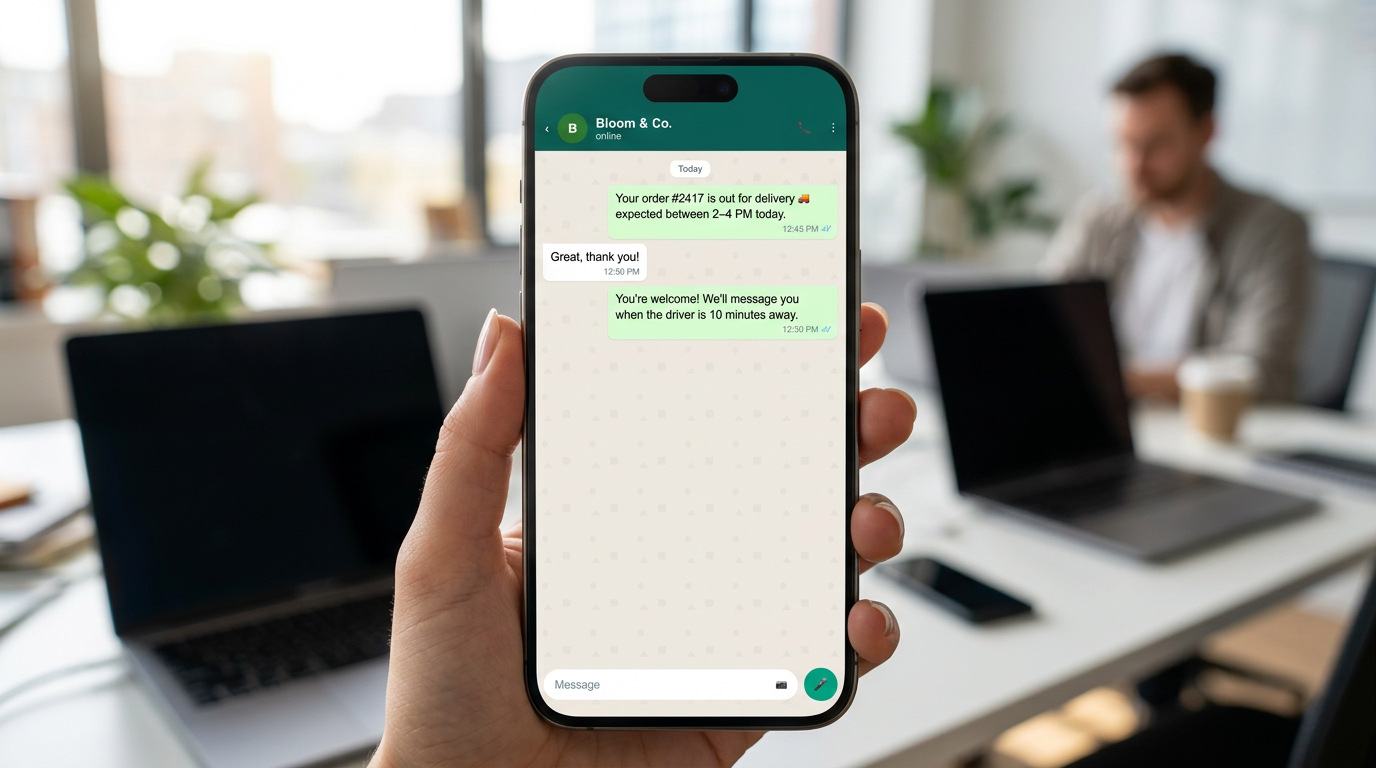
You are sitting on a decision most of our clients hit within their first month of paid social: the ads are producing WhatsApp conversations, and someone has to answer them. The options are to hire a coordinator whose day is spent typing the same four questions, to let the front desk answer between walk-ins, or to put an AI agent on the number and have it qualify every inbound within seconds. That is the fork. It is worth weighing carefully, because the ad spend is already committed and the only variable left is response speed.
We will save you the suspense.
The short answer, then the reasons it holds
A correct click to WhatsApp ads setup uses the Engagement campaign objective in Meta Ads Manager, sets WhatsApp as the conversion location, connects the number that your Business Solution Provider controls (not the number sitting in the WhatsApp Business app on a manager's phone), and sends the lead in with a pre-filled message specific enough for an AI agent to branch on. Do that, and the lead's first reply arrives inside a free 72-hour conversation window, gets qualified automatically, and lands in a human's queue already tagged. Skip any one of those four, and you have bought attention you cannot answer.
The most common failure we repair is not targeting. It is a business running CTWA into a number that a human checks three times a day. Meta sold you the highest-intent tap it has, and the reply arrived after dinner.
Why the objective decides everything downstream
In Meta Ads Manager, create the campaign and choose Engagement. The CTWA playbook from Wati is direct about this: an objective routes clicks into WhatsApp, Facebook or Instagram, and choosing Traffic or Leads breaks the whole flow. Meta's own developer documentation for messaging ads confirms the value under the hood is OUTCOME_ENGAGEMENT when you inspect the campaign object through the Marketing API.
This matters more than it looks. The objective is what Meta's delivery system optimises against. Pick Traffic and the algorithm hunts for people who click things, which is a different species from people who start conversations. A trawler and a longliner are both fishing boats, and one of them comes back empty if you send it after the wrong fish. The objective is your gear selection, and budget, audience and creative are all downstream of it.
Budget and audience settings that do not fight the algorithm
Set a daily or lifetime budget at the campaign level. WhatsApp's official getting-started guide advises running the ad for at least seven days for best results, and recommends an audience size in the 2 to 10 million range for strongest performance. Both of those recommendations exist for the same reason: the delivery system needs volume and time to learn what a converting conversation looks like on your account.
Businesses cut this short constantly. Three days in, the cost per conversation looks ugly, the campaign gets paused, and nobody ever finds out what it would have settled at. The learning period is the part you cannot buy your way out of.
Selecting the right number in the conversion location step
Under Messaging Apps, select WhatsApp as the destination. The number you pick here is the whole architecture decision hiding inside a dropdown. If you choose a number running on the consumer WhatsApp Business app, your only automation options are the app's built-in tools, including Meta's own assistant. If you choose a number registered to the WhatsApp Business API through a BSP, you can put your own AI agent, your CRM, and your routing logic behind it.
Both are legitimate. They are not interchangeable, and you cannot easily switch a number between them once ads are running against it. Decide before you spend.
The pre-filled message is the first line of qualification
When someone taps a CTWA ad, WhatsApp opens with a pre-filled message already typed into the composer. Go4WhatsUp's CTWA guide describes this along with the free 72-hour conversation window that opens for first-reply messages. Most advertisers leave the pre-filled text at something generic like "Hi, I'd like to know more." That is a wasted signal.
Write a distinct pre-filled message per ad set. If you run three ad sets for a clinic, one for teeth whitening, one for implants, one for a general check-up offer, then the incoming text should say which. Your AI agent reads that first inbound and knows the treatment interest before it has asked a single question. It can open with a relevant question instead of "How can I help you?", which wastes the one turn where intent is hottest.
- Per-campaign wording so the agent branches on the first message with zero round trips.
- Short enough that nobody edits it, because a lead who deletes your text destroys the signal.
- Plain language in the language of the ad creative, so an Arabic ad delivers an Arabic first message and the agent replies in Arabic without asking anyone to pick a language. Language detection should be automatic. Forcing a customer to opt in to their own language is a friction failure before the conversation has started.
Connecting the number to an AI agent that actually qualifies
Now the part the setup guides skip. A conversation arriving on WhatsApp is only valuable if something answers it while the person is still holding the phone.
Two routes exist, and the difference is worth being blunt about. Meta's own path is the Business Agent, which you configure from the Tools tab by clicking AI agent and scanning a QR code with your mobile device, per WhatsApp's Help Center instructions. It enhances parts of conversations for customers who choose to use AI from Meta. It is fast to switch on and it knows nothing about your price list, your practitioner availability, or your CRM.
The second route is an agent you or your BSP build on the WhatsApp Business API. It reads the pre-filled message, asks the three or four questions your sales process actually needs, checks live availability, books, and writes the lead into your CRM with a source tag that says which ad set produced it. A public n8n walkthrough demonstrates the same shape of pipeline, an AI agent qualifying leads from a Meta form before a human ever opens the thread. Learnmind builds WhatsApp and AI phone systems for clinics, salons and agencies from our base in Dubai, and this second route is what we install, because the first one cannot tell a patient whether Thursday at 4pm is free.
What the agent should collect before it hands over
Keep the qualification short. Every extra question costs you people. For an appointment business, three fields usually carry the entire decision: what they want, when they want it, and which location or practitioner. Anything else can be gathered at the chair.
Once those three exist, the conversation should either book directly or route to the right human. If you run more than one person on the number, the handoff rules deserve their own thinking; we have written up the inbox routing patterns that keep a single WhatsApp number from turning into a shared mailbox where everyone assumes someone else replied.
The 72-hour window and what happens after it closes
Inside the free 72-hour window opened by a CTWA click, you can converse freely. After it closes, you are back to template messages, which must be approved and which carry cost. This is where automated no-show reminders earn their keep, and reducing no-shows remains the single fastest ROI win we see in appointment-based automation, because an empty chair is pure lost revenue and a well-timed reminder sequence costs almost nothing against the value of the slot it saves.
It is also where advertisers get themselves into policy trouble, by treating a CTWA lead as consent to market forever. It is not. Before you use those numbers for anything beyond the conversation they started, read our plain-English pass through the WhatsApp Platform terms, and if you are operating in the UAE, the PDPL reference for reactivation covers what you can and cannot do with a list you acquired through ads.
Closing the attribution loop so you know which ad set paid
For years the honest complaint about CTWA was that conversations went into WhatsApp and the results never came back out. As Asisteclick's CTWA guide notes, that changed when Meta released the Conversions API for Business Messaging along with a conversation-optimised objective, and the category grew sharply from 2024 onward in markets where WhatsApp is the dominant messenger.
Practically, this means your AI agent should fire an event back to Meta at the moments that matter to you: qualified lead, appointment booked, deposit paid. Feed those events back and the delivery system stops optimising for people who say hello and starts finding people who book. Without that loop you are grading the campaign on message volume, which is like judging a day at sea by how heavy the net felt coming up rather than by what was sorted on deck.
Tagging so the CRM record survives the handoff
Every conversation should arrive in your CRM carrying the campaign and ad set identifier. If a receptionist later closes that lead over the phone, the outcome still ties back to the ad that produced it. This is unglamorous plumbing and it is the difference between knowing your cost per booked appointment and guessing at it.
Verifying the setup before you scale the budget
Do not raise spend until you have watched the whole path yourself, from a phone that has never messaged the business.
- Tap your own live ad from a personal device and confirm WhatsApp opens with the correct pre-filled text for that specific ad set.
- Send it and time the first reply. If the agent takes longer than a few seconds, something in the webhook chain is queuing.
- Answer as an awkward lead would, in a different language, with a typo, with a question the agent was not scripted for, and check that it either handles it or escalates cleanly rather than looping.
- Confirm the CRM record exists with the campaign tag attached, and that the conversion event registered on the Meta side.
- Let the thread go quiet and confirm the follow-up sequence fires inside the 72-hour window rather than after it, when messaging becomes template-only.
Run that test again after every creative refresh. New ad set, new pre-filled message, new chance for the branch logic to miss.
Quick answers
What campaign objective should I use for Click to WhatsApp ads?
Use Engagement as the campaign objective in Meta Ads Manager, then select WhatsApp under Messaging Apps as the conversion location. Choosing Traffic or Leads breaks the routing and the conversation will not open properly in WhatsApp.
Can an AI agent reply to Click to WhatsApp ad leads automatically?
Yes, if the ad points at a number registered on the WhatsApp Business API through a BSP rather than the consumer WhatsApp Business app. That setup lets a custom AI agent read the pre-filled message, qualify the lead, check availability and write the record into your CRM within seconds.
How long can I message a lead after they click a WhatsApp ad?
A Click to WhatsApp ad opens a free 72-hour conversation window for first-reply messages, during which you can converse freely. After it closes you must use approved template messages, which are billable.
Send us the pre-filled message text from your current CTWA ad sets, along with the first two replies your number sends back, and we will tell you where the qualification is leaking.





